


Deep Sleep Hypnotherapy
4.2147.00 Reviews
App Specs
- Version
- 2.34
- Updated On
- License
- Free
- Downloads
- 10,000+
- Developer
- Harmony Hypnosis Ltd
- Categories
- Medical
- Platform
- Android
Screenshots
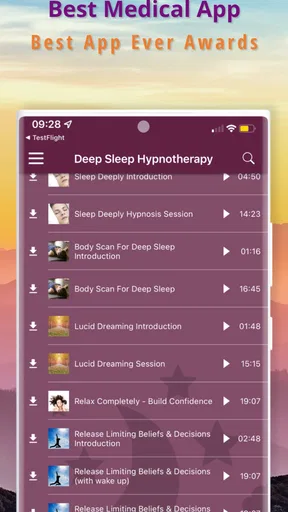
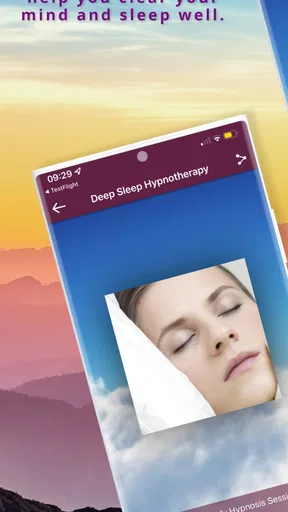
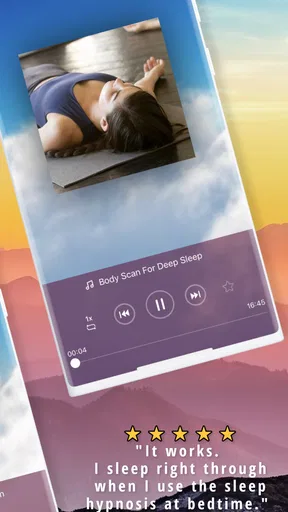
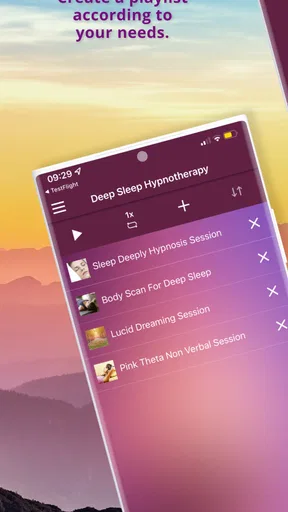
 Analysis by AppCompare
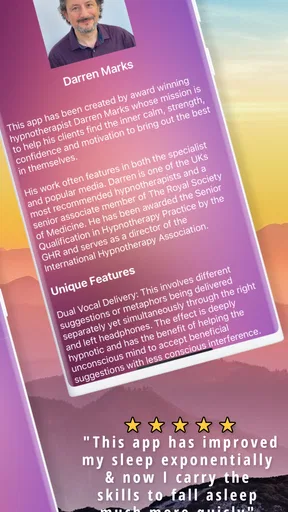
I approached Deep Sleep Hypnotherapy as a practical sleep aid rather than a medical treatment, and that distinction matters from the first use. It is a free medical-category app from Harmony Hypnosis Ltd that uses hypnotic meditation to help create a calmer transition into sleep. The idea is simple: start a session, settle into a comfortable position, and let the spoken guidance carry your attention away from the day.
That simplicity is appealing, but it also creates the main source of friction. This is not the kind of app that gives you a long checklist of sleep habits, tracks every night, or turns rest into a measurable challenge. Its value depends on whether guided hypnosis suits the way you relax. In my experience, the best results come when I treat it as part of a quiet bedtime routine, not as an instant solution for every difficult night.
Getting past the first points of friction
I’d make the first session easier by treating the setup as part of winding down, not as a test of whether the meditation can make me sleep on demand. Once the phone, audio output, and room are ready, I can give the guidance my attention without interrupting it to troubleshoot. That leaves the more important question: whether this spoken, hypnotic approach feels comfortable enough to become part of my routine.
What can make the first session feel less smooth
The first obstacle is often expectation. Someone opening the app after a restless night may hope for an immediate switch from alert to asleep. A guided meditation can support that change, but it cannot force the mind to stop worrying, and the spoken format may feel distracting before it becomes familiar. If you keep listening closely to judge whether it is working, you may stay more mentally active than you intended.
I found it more useful to begin when I still had a little time before I needed to sleep. That removes the pressure of watching the clock. A good first attempt is not a test that you pass or fail; it is a chance to learn whether the voice, pace, and hypnotic approach feel comfortable to you. If the style does not suit you, repeating the same session immediately is unlikely to solve the problem.
Another common sticking point is the phone itself. A bright screen, incoming alert, or low battery can undermine an otherwise calm setup. I would prepare the device before lying down, lower the brightness, and avoid browsing after starting the session. The app is meant to reduce stimulation, so using it while switching between other apps defeats much of its purpose.
Checks worth making before you settle in
The application is free to install and is suitable for Everyone, which makes it easy to try without committing money at the outset. It supports devices running Android 7.0 or later, and the current version is 2.34. If an older phone behaves differently from a newer one, checking the operating system and updating the app are sensible first steps rather than assuming the meditation itself is at fault.
Worth Reading Before You Choose

EA SPORTS FC Mobile 26 Is a Bigger Football Game, but It Takes Time

Flipboard Shows What News Apps Must Do Beyond the Feed

Switching to Android Auto Means Rethinking Your Driving Routine

Google Calendar Makes a Crowded Week Easier to Manage

Ludo King Makes the Most of the Minutes Between Plans

Baby Panda World Brings Quick Play to Modern Phones, but Its Game Library Feels Busy
I would also check the basics that affect any audio-based experience: the volume level, the selected output, and whether headphones or a speaker are connected properly. Start with a comfortable volume that lets you follow the guidance without straining. Too loud can make relaxation harder, while too quiet may tempt you to reach for the phone during the session.
Headphones are not automatically the best choice for bedtime. They can make the voice clearer, but some people find earbuds uncomfortable when lying on their side. A nearby speaker may be more practical if other people will not be disturbed. This is a personal trade-off, and it is worth deciding before the session begins so you are not adjusting equipment once you are already relaxed.
Because the app includes in-app purchases ranging from $9.99 to $49.99 per item, I would pay attention to what is included before buying anything. The free starting point is useful for deciding whether this style of sleep support works for you. There is no reason to purchase additional content simply because you had one poor night; first separate a bad session from a genuine mismatch with the app.
A bedtime workflow that avoids unnecessary troubleshooting
My preferred workflow is deliberately boring. I finish the practical tasks of the evening, place the phone where I will not need to touch it, open the meditation, and begin only when I am ready to remain still. This matters because hypnosis recordings work best when attention is not repeatedly interrupted by messages, changing playlists, or checking the time.
For a realistic example, imagine arriving home tired after a stressful workday but still carrying unfinished conversations in your head. Instead of starting the session while answering messages, I would take a few minutes to wash up, dim the room, and decide that the next period is only for winding down. Once the recording begins, I would let thoughts appear without trying to solve them. The useful goal is not perfect blankness; it is gradually reducing the effort spent following each thought.
A second practical tip is to use the app at a consistent point in your evening, even if you do not fall asleep immediately. That creates a recognizable cue for the body and mind. It also makes it easier to judge the app fairly. If you use it only during extreme stress, you are testing it under the hardest conditions and may overlook its value as a regular relaxation tool.
If the session stops, refuses to start, or seems silent, I would work through recovery in a simple order. First check the phone’s volume and audio output. Then close and reopen the app, confirm that the device still meets the Android requirement, and try again without other audio playing. If the problem remains, restarting the phone is a reasonable general step. These checks do not change the content, but they remove the most common sources of confusion before you decide the app is unusable.
It is also worth remembering where you left the phone. A weak connection between the device and an accessory, accidental contact with a headphone control, or a system-wide silent setting can look like an app failure. I would test the phone with another ordinary audio source only if needed, then return to the meditation. That helps distinguish a device problem from an issue specific to this application.
How to recover when the routine does not work
A disappointing session does not necessarily mean the app has failed. Sometimes the problem is the timing. Starting immediately after an argument, a demanding task, or a large amount of screen use may leave the mind too activated to follow a calm recording. In that situation, I would add a short transition first: sit quietly, breathe normally, and let the body settle before pressing play.
Another recovery method is to stop treating sleep as the immediate target. If I listen while thinking, “I must be asleep in ten minutes,” every moment of wakefulness becomes evidence of failure. A better approach is to use the session for rest and relaxation, allowing sleep to arrive if it does. That change in pressure is especially important for people whose insomnia is made worse by monitoring their own progress.
If the voice or hypnotic style feels uncomfortable, do not force yourself to continue. Relaxation is personal, and a technique that helps one listener may irritate another. A quiet music app, a conventional mindfulness recording, a paper book, or a clinician-recommended approach may be a better alternative. The fact that this app is in the medical category does not make it the right tool for every sleep concern.
Purchases deserve the same patience. I would use the free experience long enough to understand whether the format fits my routine before considering paid material. The presence of optional purchases means the app can become more expensive than its free entry point, so the practical question is not simply whether it costs nothing to download. The question is whether the additional content offers enough value for your particular sleep habits.
When the app is not the real cause
Sleep problems often have causes outside an app. An uncomfortable room, irregular working hours, caffeine late in the day, pain, medication effects, persistent anxiety, or breathing difficulties can all overpower a guided meditation. In those cases, repeatedly changing recordings may only hide the issue for a while. I would look at the wider routine instead of blaming the application for something it cannot address.
This is also not a substitute for professional medical advice. Anyone dealing with ongoing or severe sleep difficulty should speak with a qualified healthcare professional, particularly when poor sleep affects daytime safety, mood, concentration, or general health. A hypnosis recording may be a supportive relaxation habit, but it should not be used to delay appropriate care.
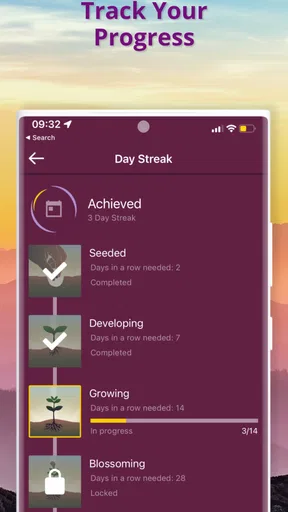
People who need detailed sleep analysis may prefer a dedicated tracker or a clinician-led program. Those tools answer different questions, such as patterns over time or possible causes. Deep Sleep Hypnotherapy is better suited to the immediate experience of settling down. It does not appeal as much if you want charts, reminders, extensive personalization, or a structured course with measurable milestones.
It may also be a poor match for anyone who dislikes spoken guidance. Some sleepers relax more easily with silence, steady background sound, or music without words. Others become focused on the narrator and remain awake. I would regard that response as useful information rather than a personal failure. The app’s central method is its strength for the right listener and its clearest limitation for the wrong one.
How it compares with familiar sleep alternatives
Compared with a standard white-noise app, this application asks more of your attention. White noise can mask environmental sounds while leaving the mind free to wander, whereas hypnotic meditation directs attention through spoken guidance. I would choose white noise for a noisy room or when I want minimal mental input, and this app when I want help shifting away from active thoughts.
Compared with general mindfulness apps, the focus here is narrower. Mindfulness often teaches observation of thoughts and sensations, while a sleep hypnosis session is more directly aimed at relaxation and drifting toward sleep. Someone who wants a broader meditation library may prefer a general service. Someone who wants a bedtime-specific spoken experience may find this more straightforward.
Compared with sleep-tracking tools, the advantage is less measurement and more immediacy. I do not open it to inspect a score the next morning; I open it when I want a guided way to wind down. That can be refreshing if statistics make you anxious, but it is a limitation if you are trying to identify long-term patterns.
The developer, Harmony Hypnosis Ltd, has positioned the app around this focused use rather than turning bedtime into a complicated system. Its average rating is 4.2 from around 500 ratings, and it has passed 10K installs. Those figures suggest a modest but established audience, although they should not replace your own judgment about whether hypnotic audio feels comfortable and useful.
Who I would recommend it to
I would recommend it to adults who want a simple, spoken relaxation aid and are willing to build it into a consistent bedtime routine. It is particularly suitable for someone whose main difficulty is mentally switching off after a busy day, provided that person enjoys guided meditation and does not need detailed tracking.
I would be more cautious about recommending it to someone who expects a guaranteed result on the first night, needs a completely silent approach, or is searching for an explanation for persistent sleep problems. I would also suggest checking the purchase details carefully before spending money, especially if the free experience already tells you that the voice or method is not a good fit.
After trying it, my view is that the app works best when used with modest expectations and good preparation. The most useful “feature” is not a complicated setting; it is the way the recording can become a repeatable cue to stop engaging with the day. That benefit depends on putting the phone aside, accepting that thoughts may continue, and allowing the session to be part of rest rather than a performance.
My practical verdict: Deep Sleep Hypnotherapy is worth trying if you want a focused sleep meditation and are comfortable with hypnotic guidance. It is easy to approach because the download is free, supports an older Android baseline, and offers a clear purpose. Its limitations are equally clear: it is not a diagnostic tool, not a sleep tracker, and not ideal for people who dislike narrated relaxation. I would start with the free experience, prepare the device carefully, and judge it over a calm routine rather than one desperate night.
Pros
- Calming audio sessions are easy to start before bedtime.
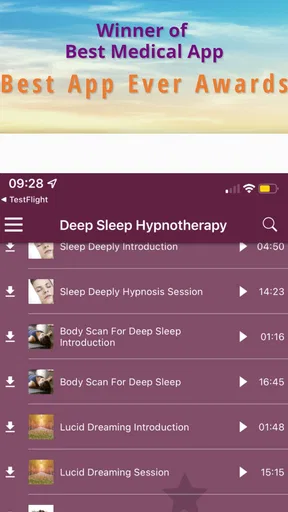
- Multiple hypnosis tracks support different sleep-related needs.
- Soothing narration can help create a consistent nighttime routine.
- Sessions can be used with the screen turned off.
- Simple controls make the app accessible for first-time users.
Cons
- Some tracks may feel repetitive after frequent listening.
- Results can vary significantly between users.
- Certain features or sessions may require a paid subscription.
- The narration style may not appeal to everyone.
- Background listening may drain battery during longer sessions.
FAQs for Deep Sleep Hypnotherapy
What is Deep Sleep Hypnotherapy, and how does it work?
Deep Sleep Hypnotherapy is designed to help users relax their mind and prepare for sleep through guided hypnosis, calming narration, and soothing audio. Sessions typically encourage slower breathing, reduced mental activity, and positive sleep-focused suggestions. It is best used as a relaxation aid and bedtime routine rather than as a guaranteed treatment for insomnia or other medical conditions.
Can Deep Sleep Hypnotherapy help with insomnia or poor sleep?
The app may help some users fall asleep more easily by reducing bedtime stress and creating a consistent wind-down routine. However, results can vary depending on the cause and severity of sleep problems. It should not replace professional medical advice, especially if insomnia is persistent, affects daytime functioning, or is connected to anxiety, depression, medication, or another health condition.
Is Deep Sleep Hypnotherapy safe for everyone to use?
Most adults can generally use sleep-focused relaxation audio safely when following the app’s instructions. Nevertheless, users with serious mental-health conditions, a history of adverse reactions to hypnosis, or significant sleep disorders should consult a qualified healthcare professional first. Never listen while driving, cycling, operating machinery, or doing anything that requires full attention.
Does the app require an internet connection or headphones?
Whether an internet connection is needed depends on the version of the app and whether its sessions can be downloaded for offline listening. Headphones are not always necessary, although they may make the voice and background sounds easier to hear in a quiet environment. Before starting a session, check the app’s download options, audio controls, and device compatibility.
Are there subscriptions, in-app purchases, or privacy considerations?
Before downloading, review the store listing carefully for free content, premium sessions, trial periods, subscriptions, and automatic-renewal terms. Also check the privacy policy to understand whether the app collects usage information, account details, or device data. If you start a trial, confirm how cancellation works through Google Play or the App Store to avoid unexpected charges.


